OLED Display (SSD1306)
Show text on a 0.96″ 128×64 I²C screen — a building block for local, phone‑free output.
⬇ Download the sketch
Save
Project_10_ESP32_OLED_Display.ino, then open it in the Arduino IDE (setup: Project 0b). Needs the Adafruit SSD1306 + GFX libraries.
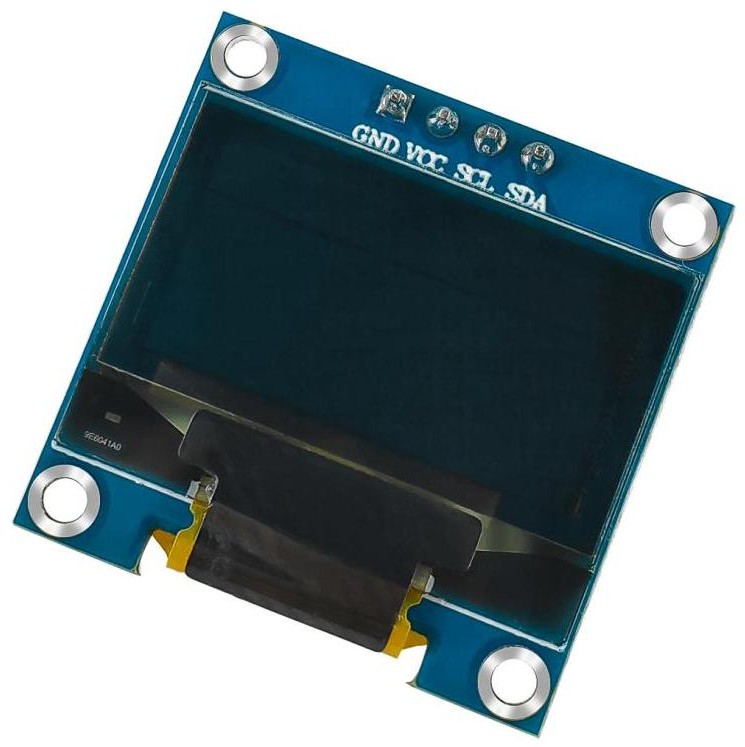
1 · About the display & I²C
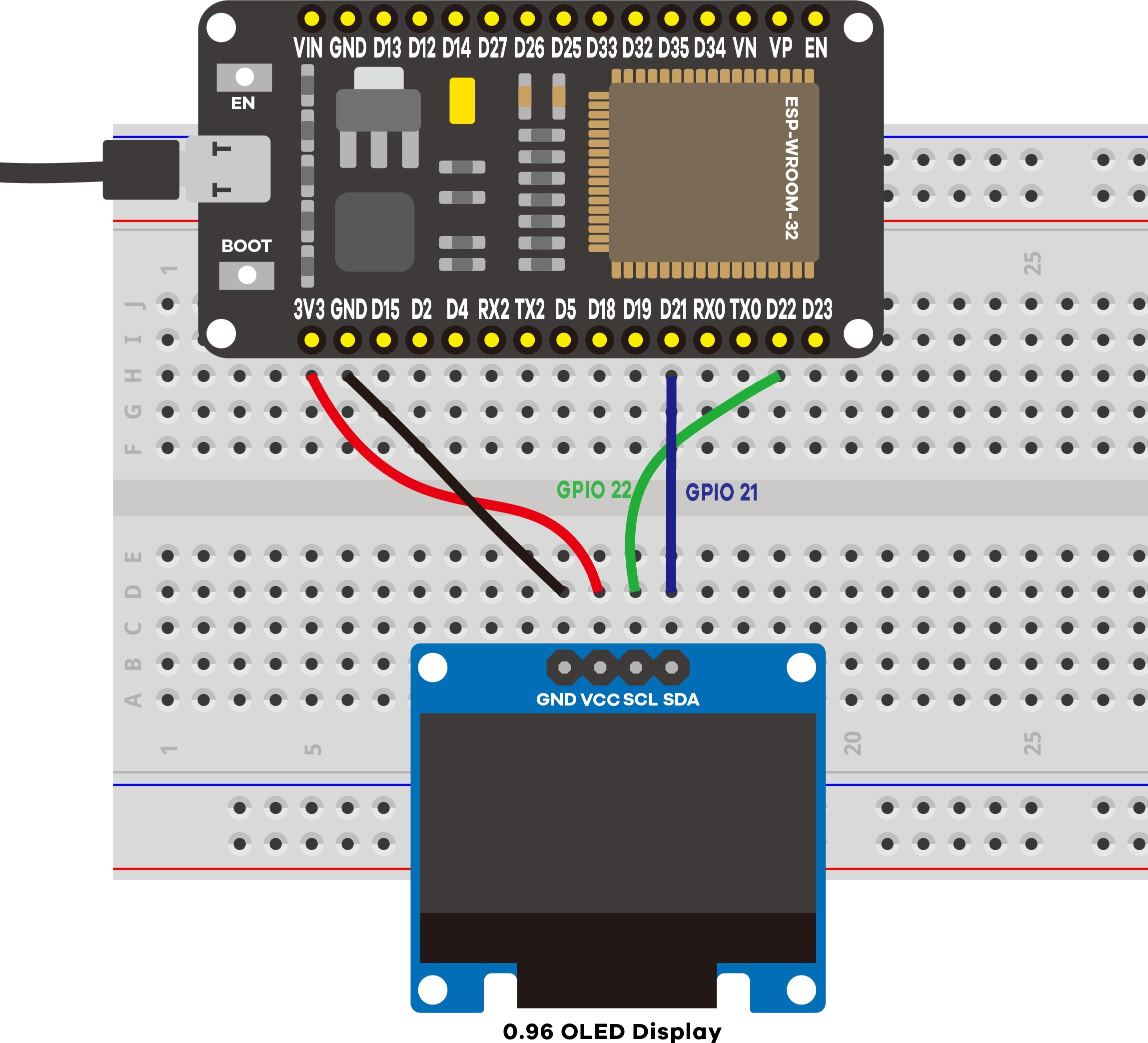
The SSD1306 is a crisp 128×64 monochrome OLED — self‑lit pixels, great contrast, low power. It talks over I²C, a two‑wire bus (SDA + SCL). ESP32 defaults: GPIO 21 (SDA), GPIO 22 (SCL). This module's I²C address is 0x3C.
| OLED pin | ESP32 |
|---|---|
| VCC | 3.3 V |
| GND | GND |
| SCL | GPIO 22 |
| SDA | GPIO 21 |
2 · Install the required libraries
Two Adafruit libraries (both in the Library Manager):
- Adafruit SSD1306 (driver)
- Adafruit GFX (graphics/text engine)
Restart the IDE after installing.
3 · Wiring
4 · The drawing API
Clear → set style → position → print → push to the display. Nothing appears until display():
display.clearDisplay();          // erase the buffer
display.setTextSize(2);          // 1 = small ... bigger = larger
display.setTextColor(WHITE);     // white text on black
display.setCursor(0, 30);        // x, y start
display.println("LAFVIN");       // write into the buffer
display.display();               // <-- actually show it
Scrolling is built in: startscrollright(), startscrollleft(), stopscroll().
5 · Upload & expected serial output
==============================================
 Project 10: ESP32 OLED Display (SSD1306)
==============================================
I2C: SDA = GPIO 21, SCL = GPIO 22, address 0x3C
[OLED] Display initialized OK.
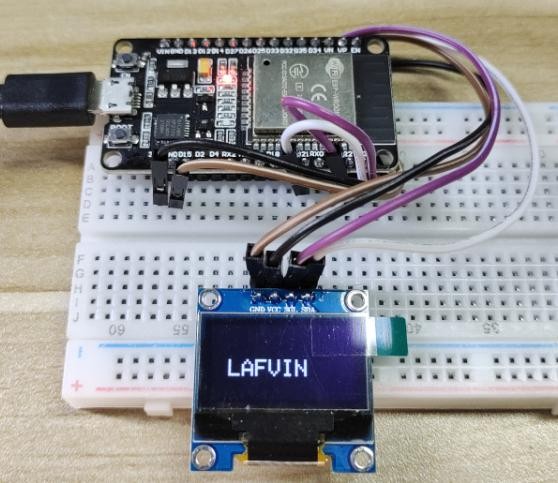
[OLED] Showing text: "LAFVIN" (will scroll).
The improved sketch confirms the display started and prints a wiring/address hint if it can't find the screen (the original just froze silently on failure).
6 · Demonstration
7 · Troubleshooting
| Symptom | Likely cause | Fix |
|---|---|---|
| "display not found" | Wiring or wrong address | SDA→21, SCL→22, VCC→3.3 V, GND→GND; try 0x3D |
| Blank, no serial error | VCC floating | Confirm VCC is 3.3 V |
| Compile error (SSD1306/GFX) | Libraries missing | Install Adafruit SSD1306 and GFX |
| Garbled pixels | Loose I²C wires | Reseat SDA/SCL |