Output State Synchronization
Control one LED from both a web toggle and a physical button — with the page kept in sync.
⬇ Download the sketch
Save
Project_8_Output_State_Synchronization_Web_Server.ino, then open it in the Arduino IDE (setup: Project 0b). Needs the ESPAsyncWebServer + AsyncTCP libraries and your Wi‑Fi credentials.
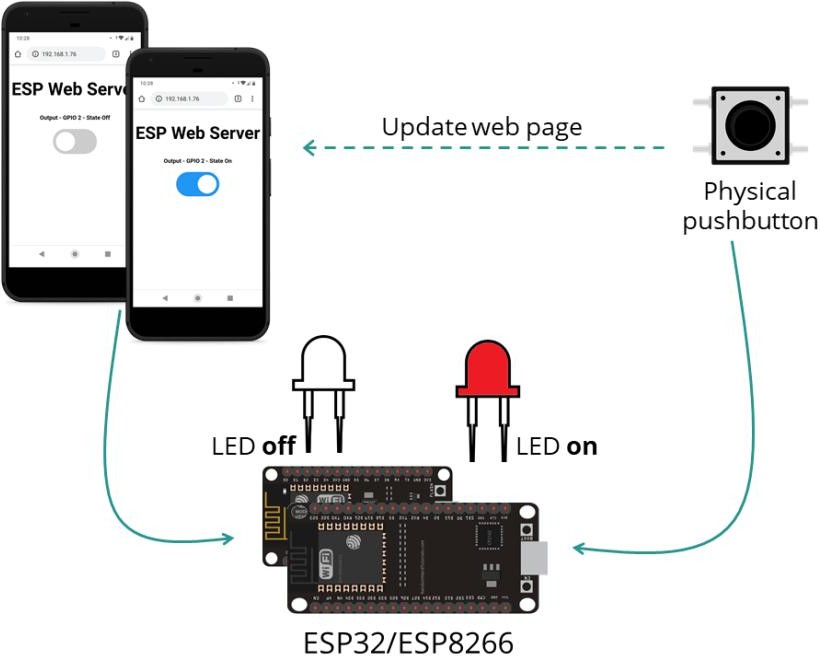
1 · The synchronization trick
The interesting part is keeping the web page correct when you press the physical button. The page can't know — so it asks. Every second the browser requests /state and updates the toggle to match the real pin:
setInterval(function () {           // once per second
  xhttp.open("GET", "/state", true);  // ask the ESP32 for the state
  ...
}, 1000);
- Web toggle →
/update?state=…→ LED changes. - Physical button → LED changes in
loop(). - Either way → the 1‑second
/statepoll refreshes the page.
2 · Install the required libraries
Same async stack as Project 7 — install both: ESPAsyncWebServer and AsyncTCP.
3 · Parts & wiring
| Qty | Part | Notes |
|---|---|---|
| 1 | ESP32 · breadboard · jumper wires | — |
| 1 | LED + 220 Ω | Output |
| 1 | Pushbutton + 10 kΩ | Input |
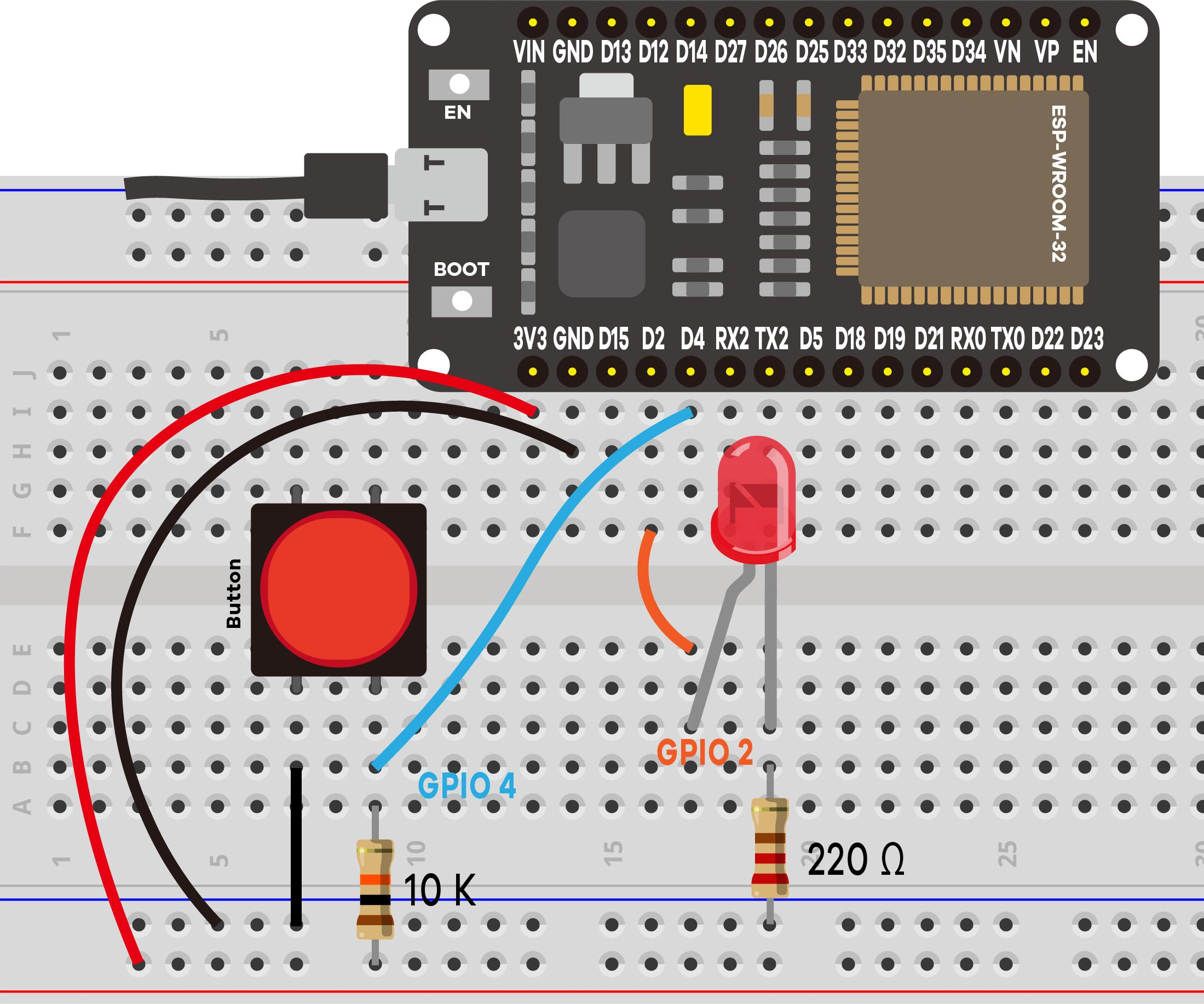
GPIO 2 also drives the on‑board blue LED, so it blinks along with your external LED — a free indicator.
4 · Upload & use
Set your Wi‑Fi credentials, upload, open Serial Monitor at 115200, press EN/RESET:
==============================================
 Project 8: Output State Synchronization
==============================================
Output (LED) -> GPIO 2
Button       -> GPIO 4
Control it from the web page OR the button.
Connecting to Wi-Fi: MyNetwork
....
Wi-Fi connected!
Open this address in your browser:  http://192.168.1.42
----------------------------------------------
[BUTTON] Output -> ON
[WEB]    Output -> OFF
The improved logging tags which control changed the output — [BUTTON] vs [WEB] — so you can watch the sync happen.
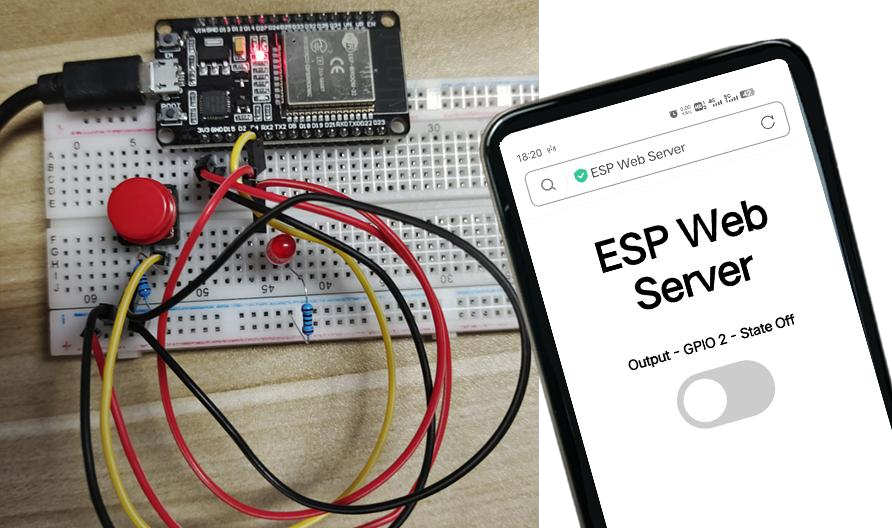
5 · Demonstration
6 · Troubleshooting
| Symptom | Likely cause | Fix |
|---|---|---|
| Compile error (async libs) | Libraries missing | Install ESPAsyncWebServer + AsyncTCP |
| Page doesn't follow the button | /state poll blocked | Keep the tab open; same LAN |
| Button does nothing | Wiring / debounce | Check GPIO 4 + 10 kΩ; press firmly |
| Stuck on "Connecting…" | Wrong credentials / 5 GHz | Fix credentials; use 2.4 GHz |